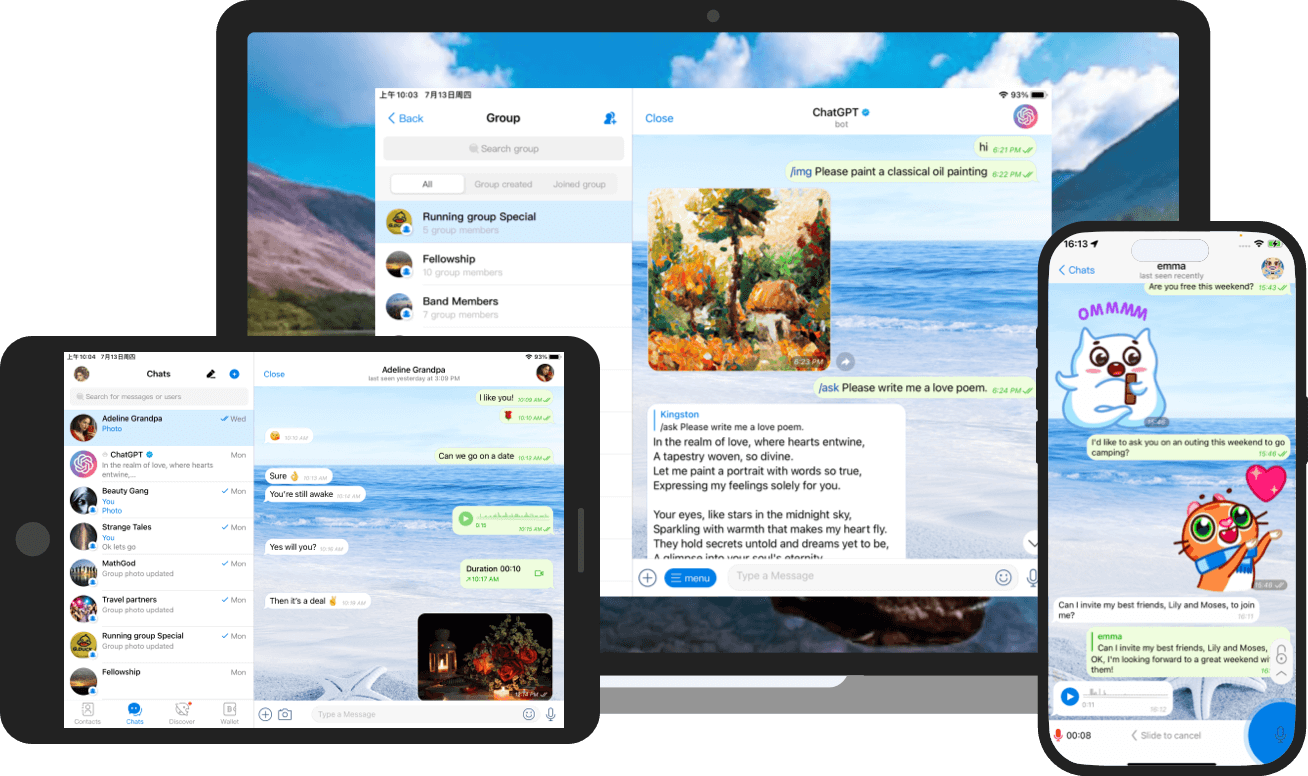
Instant Messaging
在同一会话里发送消息、文件和图片。

在同一会话里发送消息、文件和图片。
创建群组,让共同的讨论和资料集中在一起。
在支持的设备上登录,继续之前的会话。
从会话中发起语音或视频通话。
进入下载中心,按设备系统选择当前提供的客户端。
在下载中心选择平台,可查看该平台已开放的版本。
通过消息接口创建机器人,处理用户发送的命令和消息。
机器人可以在会话中接收文本、命令和内联请求,为用户提供查询或通知。
用户同意后,可以通过授权登录 SDK 将自己的 Potato Chat 账号用于支持的应用。
支持在聊天中打开和分享小程序。测试前请确认设备上的客户端支持相关功能。
Potato Chat 的云端聊天支持多设备同步。私密聊天是独立模式,采用端到端加密,只能在参与聊天的设备上查看。
可在手机的系统设置中管理通讯录权限。更改同步选项时,请查看客户端内的隐私设置。
开启两步验证后,可按客户端提示设置恢复邮箱,供忘记密码时使用。
Potato Chat 介绍了可在聊天中打开和分享的小程序。支持的小程序可通过客户端的发现页或会话入口查看。
首页和“下载中心”可按设备查看当前提供的版本。下载前请核对平台和版本名称。
Potato brings messages, files, and tasks together in one clear interface, helping you switch smoothly between phone, tablet, and computer. No complex setup required — open and use immediately, suitable for personal organization, group discussions, and cross-device sync.
Automatically sync conversations between your phone and computer, so you can continue handling unread content even after leaving your desk.
Archive frequently used documents, images, and links by conversation, reducing the time spent searching in multiple places.
Set reminder points for important messages, letting to-do items naturally blend into your daily communication flow.
Download and open Potato on each device, then complete verification with the same account to sync automatically. Make sure your network is stable and allow the necessary permissions when logging in for the first time.
It is recommended to establish a fixed lookup habit by project or conversation, archiving related images, documents, and links nearby. Important content can have reminders added to avoid being buried by subsequent messages.